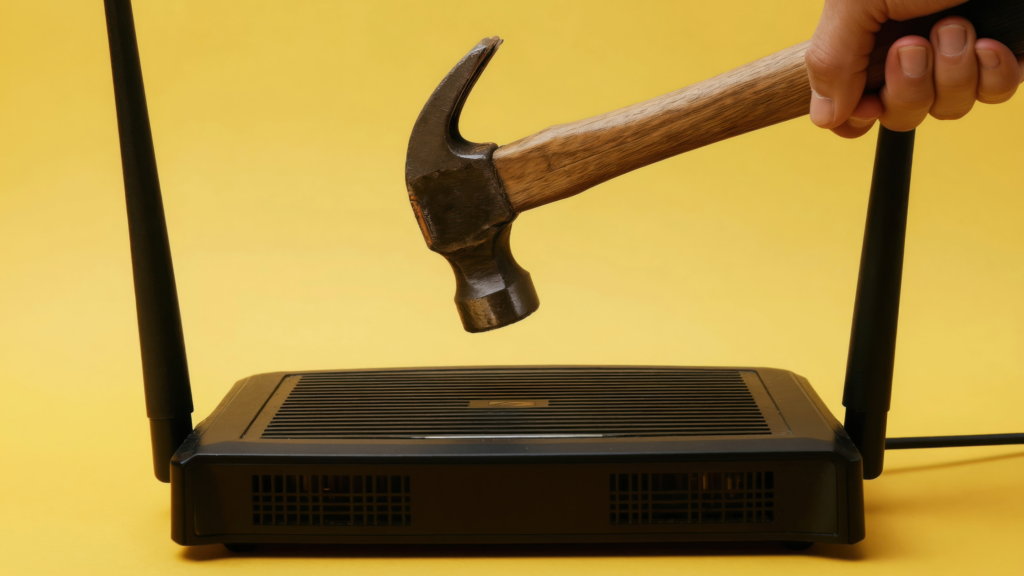
Slow Wi-Fi can be frustrating — but before you grab a hammer and take it out on your router, there are a few simple fixes that may help.
Even with our strong fiber optic network, things like router placement, outdated equipment, and interference inside the home can still affect your Wi-Fi signal.
Whether you are streaming, gaming, working from home, or helping with homework, small changes around your home can often improve your connection quickly. Here are some of the most common causes of slow Wi-Fi — and how to fix them.
1. Restart Your Router
Experiencing Wi-Fi issues? A quick restart of your GigaSpire router or Plume pod can often help restore your connection and improve performance. Need additional help restarting your equipment? Here’s our step-by-step video tutorial on how to restart your GigaSpire router or Plume: Click here to Watch
How to Restart a GigaSpire
Before performing a full reset, we recommend restarting your router first.
- Unplug the power cord from your GigaSpire router
- Wait 30 seconds
- Plug the router back in
- Allow 3–5 minutes for the system to fully reboot
Once restarted, check to see if your internet connection has been restored.
How to Restart a Plume Pod
If you are using Plume pods to extend your Wi-Fi coverage, follow these steps:
- Unplug the Plume pod from the power outlet
- Wait 10 seconds
- Plug the pod back in
- Allow 1–2 minutes for the pod to reconnect to the network
If needed, you can also remove and re-add the pod through the Plume/HomePass app.
2. Your Router Placement Matters More Than You Think
Many people place routers wherever the installation feels convenient. Unfortunately, poor placement can weaken your Wi-Fi signal throughout the home.
Walls, metal surfaces, large furniture, and appliances can block wireless signals.
How to Fix It
For better Wi-Fi coverage, place your router:
- Near the center of your home
- Elevated on a shelf or table
- Away from TVs and large electronics
- In an open space instead of inside cabinets
Avoid placing your router:
- In basements
- Behind furniture
- Near microwaves
- Inside entertainment centers
Small placement changes often improve signal strength quickly.
3. Too Many Devices May Be Connected
Smartphones, tablets, smart TVs, gaming systems, security cameras, and smart home devices all use bandwidth at the same time.
When several devices stream videos or download large files together, your Wi-Fi can slow down.
How to Fix It
You can improve performance by:
- Disconnecting devices you are not using
- Limiting background downloads
- Upgrading your internet plan if your household uses heavy bandwidth
4. Your Router Could Be Outdated
Older routers may not support the speeds modern households need. Even with fast fiber internet, outdated equipment can reduce performance inside your home.
How to Fix It
You can:
- Upgrade your own router
- Rent an updated router directly from us
Newer routers often provide:
- Better Wi-Fi coverage
- Faster wireless speeds
- Improved streaming performance
- More reliable connections for multiple devices
If you are unsure whether your current router can handle your internet usage, our team can help you find the right solution.
5. Interference Can Affect Your Wi-Fi Signal
Many common household devices interfere with Wi-Fi signals. Cordless phones, Bluetooth devices, microwaves, and nearby wireless networks can weaken your connection.
Homes with metal roofs or thick walls may also experience signal challenges in certain rooms.
How to Fix It
You can reduce interference by:
- Moving your router away from electronics
- Switching between Wi-Fi bands
- Restarting your router occasionally
- Keeping your router software updated
Simple adjustments can improve speed and coverage throughout your home.
Need Help? We’re Available 24/7
Our team provides 24/7 local customer support for our neighbors.
If you need help with:
- Slow Wi-Fi
- Router setup
- Internet troubleshooting
- Coverage issues
- Equipment questions
Call our 24/7 support line anytime:
(423) 447-6815